Published
View the most up-to-date version of your company’s cloud architecture.
Overview
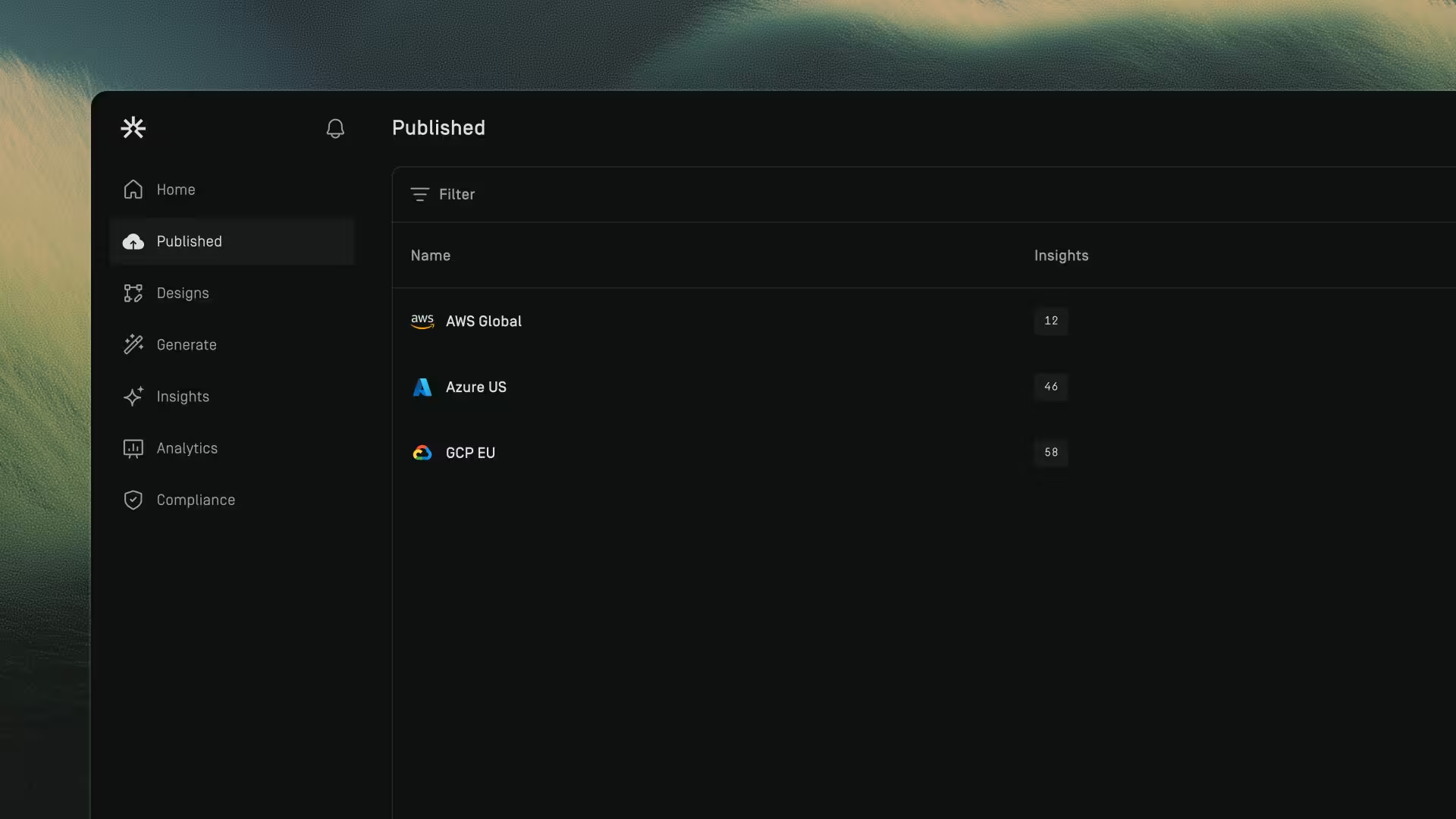
The Published section displays all connected cloud environments.
Each entry represents a cloud connection (for example, AWS or Azure) that Dawnguard has successfully synced and analyzed.
From this page, you can:
- See each cloud connection
- View how many insights were identified
- Open the architecture in the canvas
To open a published architecture:
- Go to Published
- Click the cloud connection you want to view
This takes you directly to the canvas, where you can explore the architecture’s resources, insights, and structure.
Connect Cloud
To access published architectures, first connect to your cloud provider and retrieve the cloud architecture data. Learn how to set up a cloud connection at Cloud.

Published Architecture Insights
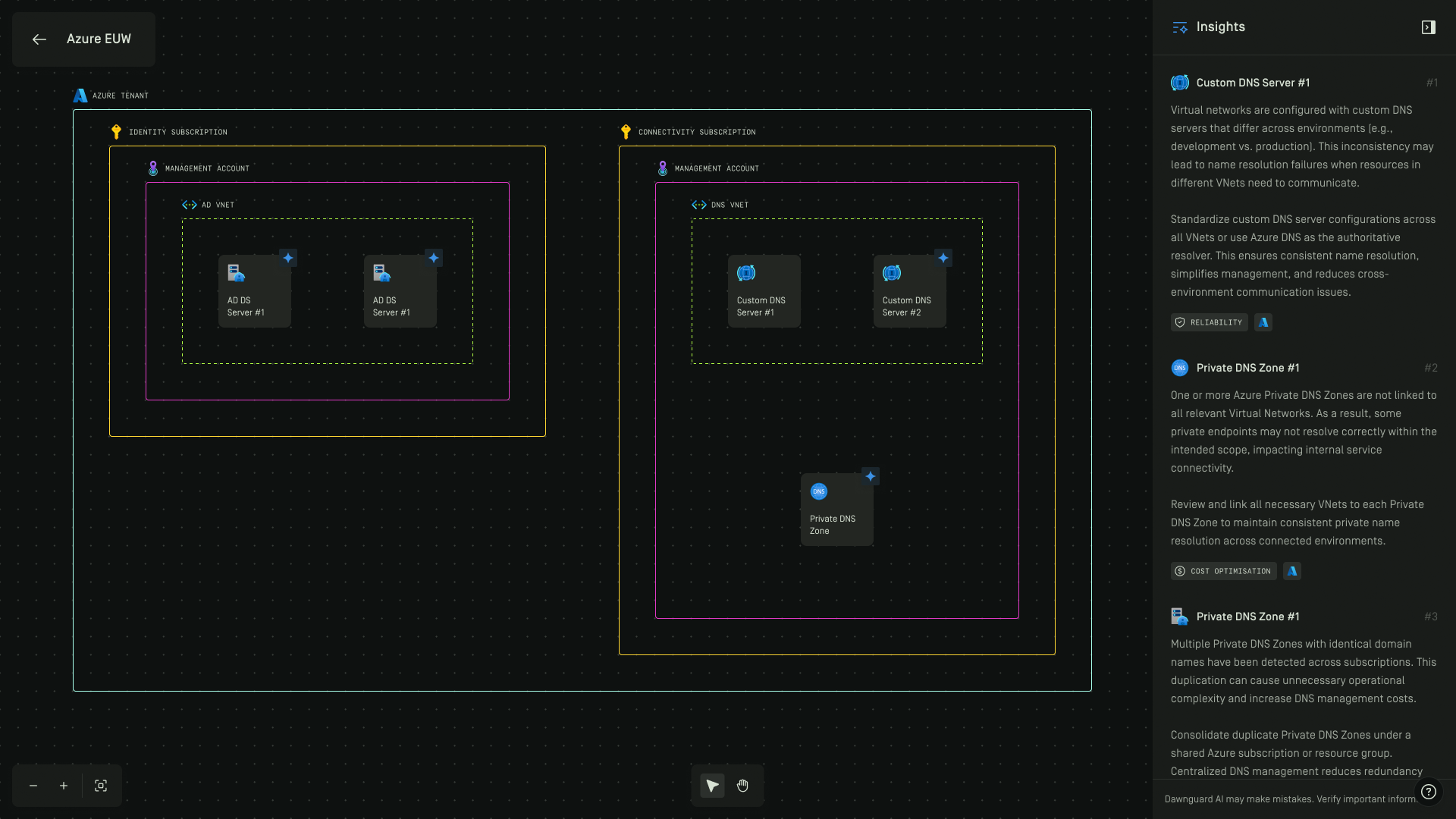
To view published architecture insights, go to the Published page, select an architecture, and open the Insights panel.
Architecture Insights help cloud architects design secure, high-performing, resilient, and efficient infrastructures by applying the pillars of the AWS and Azure Well-Architected Frameworks. Learn more about these pillars in Insights.
Additionally, insights can be enhanced with uploaded company documents. To learn more, see Documents.
Download Published Architecture Insights
You can download insights as a CSV file from published architectures.
To download insights:
1. Go to Published
2. Hover over a published architecture row
3. Click the dotted menu
4. Select Download Insights CSV
