Guardrails
Guardrails influence flagged risks, insight strictness, and architecture requirements.
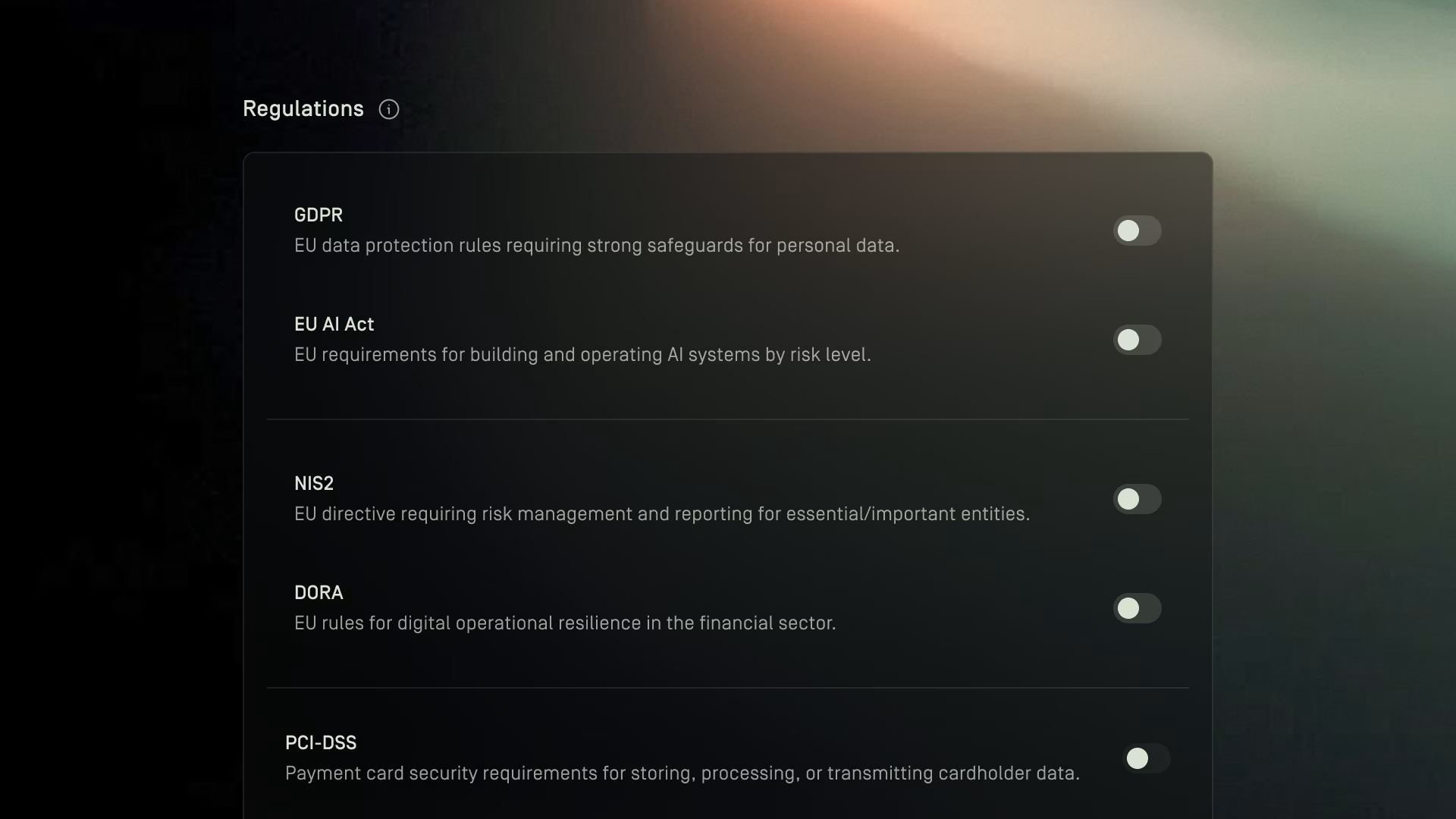
Overview
Guardrails allow you to enable or disable regulatory and best‑practice guardrails that shape how Dawnguard evaluates your cloud architectures.
Guardrails influence:
- Which risks are flagged
- How strict insights are
- What requirements your architectures must meet
You can activate as many guardrails as needed.
New guardrails can be added upon request.
Regulations
Regulations represent legal or sector‑specific compliance frameworks.
Enabling a regulation tightens the checks applied to your architectures and ensures insights reflect the mandatory controls tied to that law.
To enable or disable a regulation:
- Go to Admin→ Guardrails
- Scroll to Regulations
- Toggle the switch next to the regulation you want to apply
Activating these guardrails ensures your insights align with the regulatory obligations in scope.

Benchmarks
Benchmarks represent widely recognized security best practices or cloud‑specific security guidelines.
These are not legal requirements but are typically treated as industry baseline expectations for secure architectures.
To enable a benchmark:
- Go to Admin→ Guardrails
- Scroll to Benchmarks
- Toggle the switch for the benchmark you want to apply
Activating benchmarks will increase the depth of security insights and highlight architectural risks tied to common misconfigurations.
Standards
Standards reflect globally adopted security frameworks and certification-oriented guidelines.
Turning on a standard applies its corresponding controls to your architecture insights.
To enable a standard:
- Go to Admin→ Guardrails
- Scroll to Standards
- Toggle the standard you want applied
These standards help align your design reviews with formal security governance.
Submit new guardrails
If you need a regulation, benchmark, or standard that is not available yet, you can request a new guardrail.
To submit a guardrail request:
- Click the ? button in the bottom-left corner of the app
- Select Submit feedback
- Choose the option to submit a feature request
- Describe the regulation, standard, or benchmark you want added
This sends a feature request to the Dawnguard team for review.