Compliance
Identify compliance gaps across regulations, benchmarks, and standards.
Overview
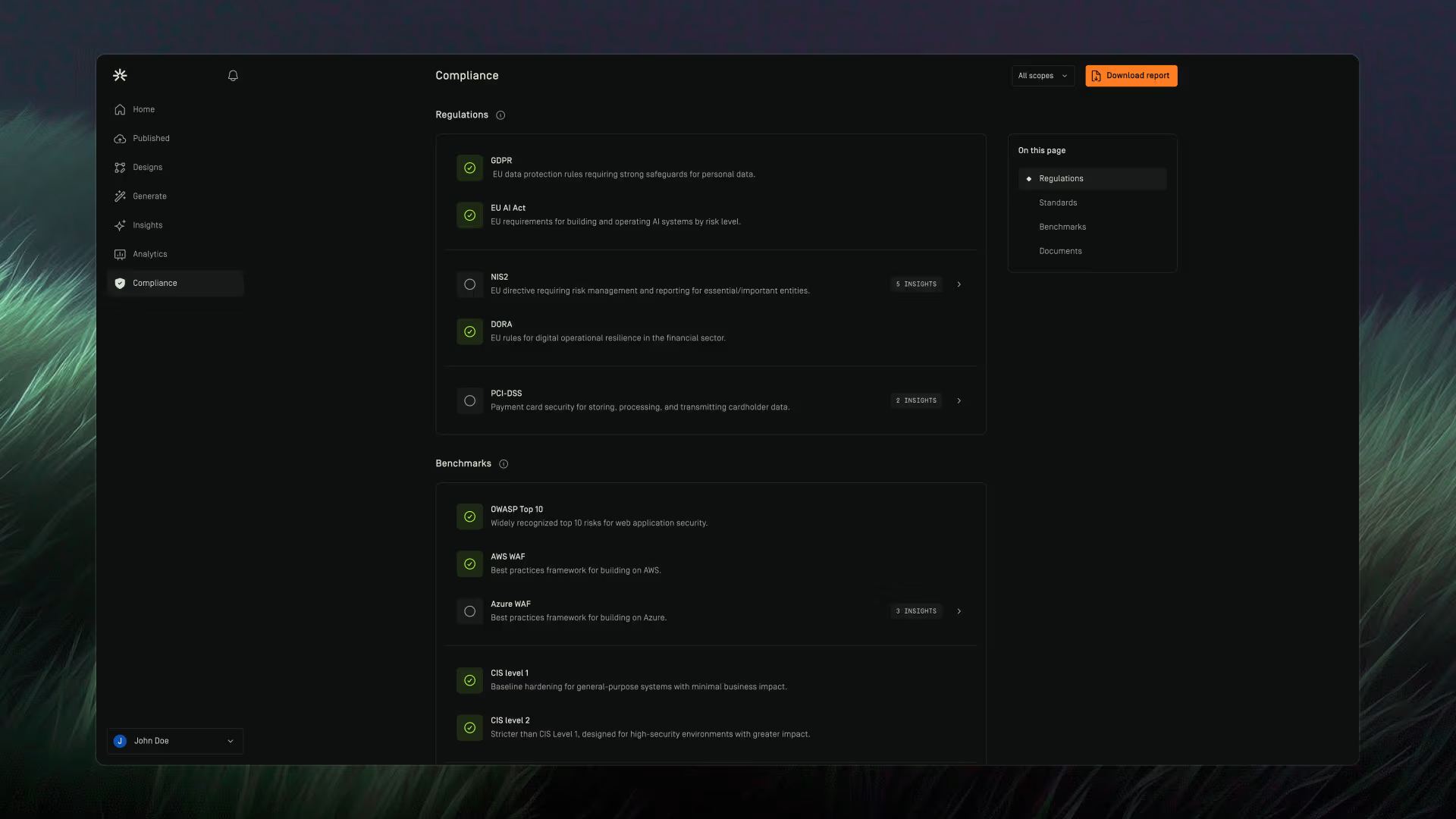
The Compliance page provides an overview of your organization's compliance posture across supported regulations, benchmarks, and standards by showing you gaps.
Insights are generated by evaluating your environment against the guardrails.
Scope Filter
Use the scope filter in the top-right corner of the page to view compliance results for a specific connection or across all connections.
All compliance results update automatically based on the selected scope.

Compliance Status
Each regulation, benchmark, and standard displays a compliance status.
Compliant
A green checkmark indicates that no gaps have been identified for that framework.
Non-Compliant
A framework is considered non-compliant when one or more associated insights have been identified.
The displayed Insights count represents the number of findings contributing to the compliance gap.
Selecting the Insights count opens the Insights table and automatically applies a filter for the selected regulation, benchmark, or standard. This allows you to immediately review the findings associated with that framework.
Guardrails
Regulations
The Regulations section displays compliance against supported regulatory frameworks.
Examples may include:
- GDPR
- DPDPA
- Other supported regulatory requirements
Each regulation displays its current compliance status and any associated insights.
Selecting the Insights count opens the Insights table with the appropriate regulation filter already applied.
Benchmarks
The Benchmarks section displays compliance against supported benchmark frameworks.
Examples may include:
- CIS Benchmarks
- NIS2
- EU AI Act
Each benchmark displays its current compliance status and any associated insights.
Selecting the Insights count opens the Insights table with the appropriate benchmark filter already applied.
Standards
The Standards section displays compliance against supported standards.
Examples may include:
- ISO 42001
- Other supported standards
Each standard displays its current compliance status and any associated insights.
Selecting the Insights count opens the Insights table with the appropriate standard filter already applied.
Compliance Report
Use Download Report to generate a report of compliance gaps for the selected scope.
The report helps you review gaps across regulations, benchmarks, and standards, and understand which open insights are contributing to those gaps. It includes an executive summary, category breakdowns, and an appendix with detailed insight information such as the insight name, insight ID, resource, and impact level.
This helps teams understand where compliance gaps exist, which findings are contributing to them, and what needs to be reviewed or addressed.
To download a Compliance report:
- Go to Compliance.
- Select the scope you want to report on.
- Click Download Report.
The report is generated using the currently selected scope and downloaded to your device.