Generate
Use AI to generate architectures from images, documents, and more.
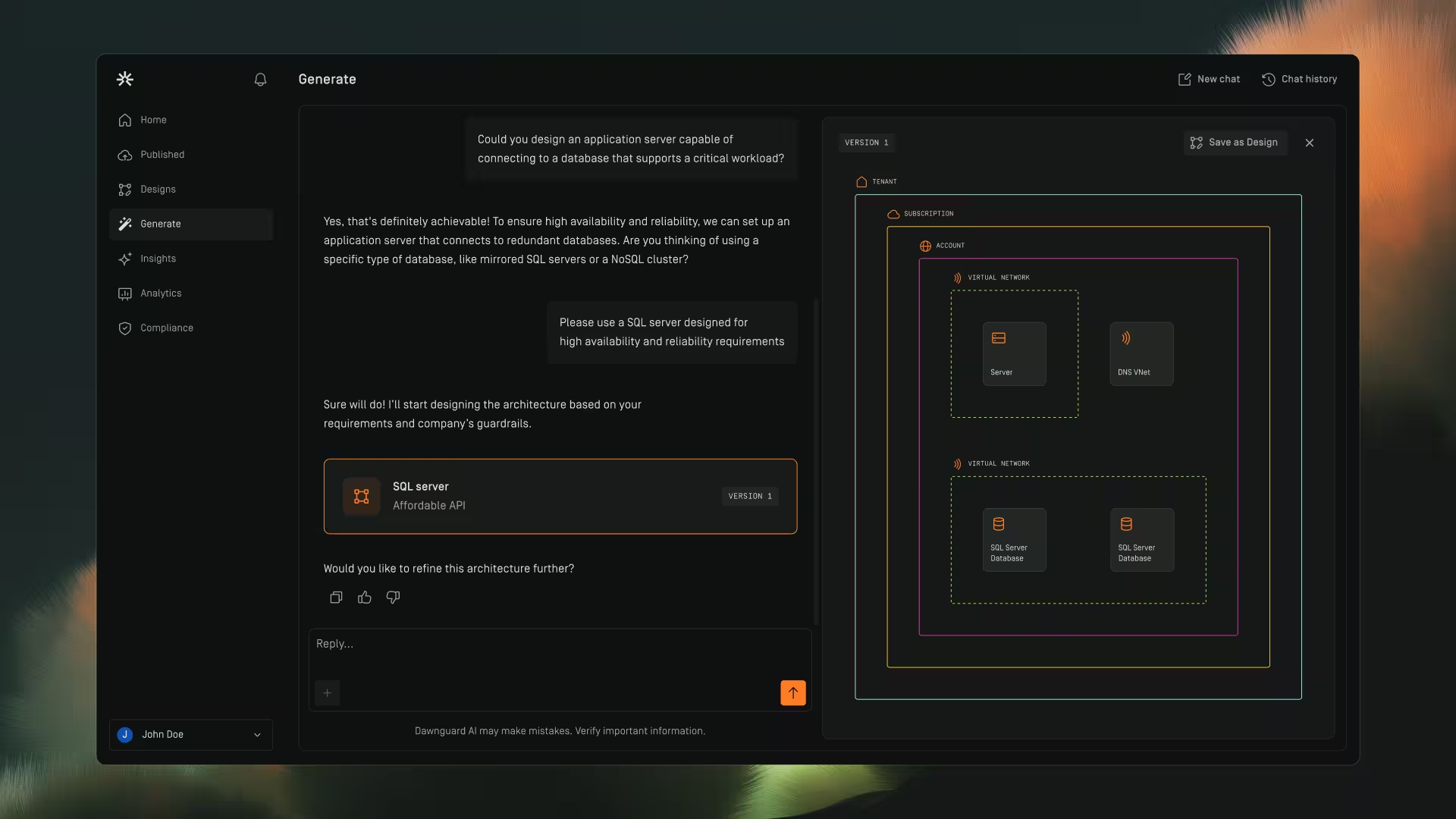
Overview
The Generate page lets you create secure, optimized cloud architectures using natural‑language prompts. Dawnguard guides you through the process, asking clarification questions, gathering relevant context, and producing a structured architecture design that aligns with your guardrails and organizational context.
Use Generate to:
- Start a new architecture from scratch
- Refine or extend an existing design
- Ask questions about design decisions
- Turn conversations into reusable, saved designs
Generate methods

Generate with chat
- Open Generate to start a new chat.
- Describe the system, workload, or requirements
- Click ↑ to submit
- Dawnguard asks for missing details when needed.
- The system gathers requirements and generates the initial architecture.
- A status indicator shows real‑time progress (e.g., gathering requirements, generating design).
- You can stop generation at any time using the Stop button.
Generate from image
You can upload architecture diagrams, sketches, screenshots, or other visual references to provide additional context during generation.
- Click the + button in the chat input area.
- Select one or more supported image files.
- Add any additional requirements or instructions in the chat.
- Submit your request.
Dawnguard analyzes the uploaded image and uses the visual context to generate or refine the architecture.
Supported Image Formats: .png, .jpg, .jpeg, .gif, .webp
Upload limits:
- Maximum file size: 4 MB per image
- Maximum of 5 images per chat message
Generate from document
You can upload architectural and technical documentation to provide additional context during generation.
Examples include:
- Architecture design documents
- System descriptions
- Requirement specifications
- Technical documentation
- Click the + button in the chat input area.
- Select one or more supported document files.
- Add any additional requirements or instructions in the chat.
- Submit your request.
Dawnguard analyzes the uploaded documents and uses the content to generate or refine the architecture.
Supported document formats: .pdf, .docx
Upload limits:
- Maximum file size: 4 MB per document
- Maximum of 5 documents per chat message
Generate from code
You can upload Terraform files to generate architectures from existing or planned cloud environments.
This helps you:
- Visualize infrastructure from code
- Validate architecture designs
- Document existing cloud environments
- Review Terraform configurations
- Click the + button in the chat input area.
- Select one or more supported code files.
- Add any additional requirements or instructions in the chat.
- Submit your request.
Dawnguard analyzes the uploaded code and uses it to generate or refine the architecture.
Supported code formats: .tf
Upload limits:
- Maximum file size: 4 MB per file
- Maximum of 5 files per chat message
Generate from Multiple Sources
You can combine supported images, documents, and code files in a single request to provide additional context during generation.
For example, you might upload:
- An architecture diagram and supporting documentation
- A Terraform file and architectural requirements
- Screenshots, documents, and code related to the same environment
Dawnguard uses the provided context to generate or refine the architecture design.
Example Prompts
Use clear prompts to describe what you want Dawnguard to generate, review, or improve.
Examples:
- Design a new architecture
“I want to design a system that achieves [goal] on Azure.”
- Design for a specific cloud provider
“I want to design a system that achieves [goal] on AWS.”
- Review an uploaded design
“I want to check this design for gaps against my guardrails.”
- Improve an existing design
“I want to add a service to an existing design.”
You can include additional context in your prompt, such as the cloud provider, workload requirements, security needs, or files you have uploaded.
Dawnguard uses your prompt and any uploaded context to generate, review, or refine the architecture design.
Review and refine
After generation, you can use the chat to review and refine the architecture.
You can continue iterating as long as the design has not been saved yet.
You can:
- Ask why specific components were chosen
- Modify requirements or constraints
- Explore alternatives
- Regenerate sections of the design
- Keep iterating until you’re satisfied
Save as design
When you’re ready to preserve the generated design:
- Open the generated architecture
- Click Save as design
Your design is added to Designs for later access.
Once you save a design, it becomes a static snapshot.
Chat history
Every generated design maintains its full chat history.
You can:
- Review earlier reasoning
- Continue the conversation after saving
- Explore refinements or new directions
- Generate new versions without altering saved designs
Provide feedback
Click Thumbs up or Thumbs down on chat responses to help us improve Dawnguard future chat results.
Copy text
You can click Copy on any message to extract:
- Summaries
- Component explanations
- Design decisions
- Architecture rationale
Perfect for documentation, reviews, and handovers.